When a new brewery, beverage brand, or custom packaging shop reaches out to me asking about bottle printers, one of the most common questions I get isn’t about print resolution, durability against condensation, or how quickly a unit can crank out 12oz bottles for a local farmers’ market. It’s: “Wait—do I need special software for this thing?” It’s a fair question. Most people’s mental model of a printer is the one sitting on their desk at home, where you hook it up to your laptop, open a Word doc or a photo in JPEG, and hit print. A bottle printer is a lot bulkier, operates with industrial-grade inks, and is made for curved, often textured surfaces that don’t fit a standard sheet of paper. So why would that logic not apply? The short answer is: sometimes yes, sometimes no—but let’s break this down without the jargon that floats around in packaging industry forums. I’m not a software engineer, I’m a bottle printer supplier who’s stood next to 200+ customers as they unboxed their first unit, watched them fumble through their first test print, and celebrated when they cranked out their first batch of labeled beer bottles for a launch. I’ve seen folks waste weeks trying to use their old home design tools for this, and I’ve seen others go overboard buying software they’ll never need. Let’s start with what a bottle printer actually does, because that’s where the software question starts to make sense. Unlike a label printer that sticks pre-made decals on bottles, a bottle printer is a direct-to-object (DTO) or direct-to-shape (DTS) printer. It has print heads that move along X, Y, and Z axes, and sometimes rotate the bottle so the print head can lay ink evenly across curved glass, aluminum, or even rigid plastic. The key here is that it isn’t laying ink on a flat, static surface. So if you try to take a flat design you made in Canva, send it to a standard desktop printer, that design will get stretched or warped when it’s applied to a curved bottle. That’s where specialized software steps in for many users. Not all bottle printers are the same, though, so there’s no one-size-fits-all rule here. Let’s split this into three core categories of users, because their needs are totally different, and that dictates whether they need special software. First, the small-batch, craft-focused user. This is the guy or gal running a nano-brewery out of a garage, a small kombucha brand selling at local co-ops, or a custom gift shop printing personalized wine bottles for weddings and birthdays. When they first ask me about software, they’re usually working with a limited budget and a small team, and their design work is mostly logos, simple text, and maybe basic graphics. For these customers, most entry-level bottle printers don’t require special, expensive software. Most units I supply come with free, pre-included software that’s designed specifically for bottle printing, not flat paper. What does that software do? It has built-in tools to adjust for curvature: you input the bottle diameter, and the software warps your flat design mathematically so when it’s printed, it looks perfect on the curved surface. It also integrates directly with the printer’s hardware, so it controls the print head’s movement and rotation without you having to mess with complex G-code, the low-level programming that tells industrial machinery what to do. I had a customer last year, a guy named Jake who brewed small-batch hazy IPAs in his garage, who tried to skip the pre-included software at first. He thought he could just make a design in Canva, export it as a PNG, and send it to his new bottle printer like he did with his home label printer. The first test print came out so stretched that the “IPA” text looked like it was on a funhouse mirror. He spent three nights Googling “how to warp a PNG for curved surfaces” and messed up 20 empty beer bottles before he called me, frustrated. I walked him through the free software that came with his printer, showed him how to input his standard 12oz bottle’s diameter in two clicks, and his next test print was spot on. For Jake, the free included software was all he needed. No extra purchases, no learning curve beyond basic design. Now, the second category: mid-sized production users. This is the craft brewery that distributes to 10+ states, the beverage brand that’s scaling up from farmers’ markets to grocery store shelves, or the custom packaging company that takes on 1000-batch jobs for multiple clients. These users don’t just print simple logos—they’re printing full-color illustrations, product photos, variable data (like batch numbers, expiration dates, or even personal names on every bottle for a limited run), and they’re juggling dozens of designs per week. For these users, the question of special software gets a little more nuanced. The free software that comes with entry-level printers might not handle large, high-resolution designs, or variable data efficiently, or integrate with their existing design workflow (like Adobe Illustrator, which most professional designers use). Some mid-sized printers will work with specialized, industry-specific packaging design software, or have plugins that connect to Adobe Illustrator, which is key for designers who already know that tool. Why would they need this? Let’s say a brewery is launching a seasonal stout with a detailed illustration of a winter forest on every bottle. That illustration needs to be high-resolution, color-accurate, and properly warped across the curve of a 16oz stout bottle. The free software might handle that, but when they need to adjust a tiny detail in the bark of the tree, they might find the free tool is clunky and doesn’t sync well with their existing design files. For these users, there’s a step up: specialized software built exclusively for bottle and object printing, that can handle high-resolution designs, batch processing for large runs, and integration with their existing print management systems. This isn’t the overpriced software you’d buy for a $100k industrial printer, either—most of the mid-tier software for this costs a few hundred dollars a year, not thousands. I worked with a small beverage brand last year that made organic iced tea, and they were moving from 500-batch runs to 5,000-batch runs. Their entry-level free software couldn’t handle batch processing, so they’d have to manually adjust every design for each bottle in a run, which took 10 hours a week. We suggested a mid-tier software plugin that worked with Adobe Illustrator, and their batch time dropped to 45 minutes a week. That small investment saved them dozens of hours, which translated to them being able to take on more clients. Now, the third category: high-volume industrial users. These are the big soda brands, large-scale contract packaging companies, or producers that run 24/7 production lines. For these users, software isn’t just a nice-to-have—it’s a core part of their operation, and almost always requires specialized, custom-built software that integrates with their entire factory workflow. They don’t just print bottles; they’re connecting their bottle printer to inventory management systems, quality control tools, and order processing software. This might involve custom G-code programming, or integrating with enterprise resource planning (ERP) software that tracks every bottle produced, its design, and its destination. For these users, the “special software” is way beyond what comes standard with a retail or mid-tier bottle printer. But that’s not the audience I work with day-to-day. Most of my customers are small to mid-sized brands, and that’s where most of the confusion about software comes from. I often get asked: “Can’t I just use regular software?” and the honest answer is, yes, you can try—but you’ll run into problems. Regular design software (Canva, Photoshop, even Adobe Illustrator for flat print) wasn’t built for curved surfaces. When you import a flat design into a standard tool and try to apply it to a curved object, you end up with distortion that makes the print look unprofessional. Even if you manually adjust the design to compensate, it’s time-consuming, inconsistent, and every different bottle size needs a new adjustment. That’s where the special software’s built-in curvature mapping comes in—it uses a mathematical formula specific to each bottle size and shape to warp the design evenly, so it looks seamless when applied. Another common myth: “I need to buy expensive design software for this.” That’s not true for most small businesses. You don’t need a $20/month Canva Pro subscription, let alone Adobe Illustrator, to use a bottle printer. The free software that comes with a quality bottle printer has basic design tools built in, or at minimum, works seamlessly with simple designs you make in free tools like Canva or even Google Drawings, as long as you remember to apply the curvature adjustment in the bottle printer’s software. The key mistake I see new owners make is skipping that curvature step. I had a customer last year who printed a run of wedding gift bottles for 50 guests, all with personalized names. He used Canva to make a flat design, sent it to his printer without adjusting for curvature, and every name looked stretched and cut off. He had to re-print all 50 bottles, costing him time and material, because he forgot that one step. It’s not that the printer was bad—it was that he didn’t use the software’s core feature for curved surfaces. Now, what about cases where you might not need special software at all? The only time I’d say a bottle printer doesn’t require specialized software is if you’re using a flat, label-like design that fits the front of the bottle and doesn’t wrap around the entire surface. For example, a small logo on the front of a 12oz water bottle, that’s only 2 inches wide. You could theoretically make that in Canva, send it to the printer, and it would look fine, because the curve is small enough that the distortion isn’t noticeable. But if you’re wrapping a full design around the bottle, or printing a large graphic that spans multiple sides of a bottle, you’ll need that special software to adjust for shape. Another edge case: some older, less advanced bottle printers that use a different printing technology, like pad printing, which transfers ink from a pad to a surface. Those often have very basic software, or even work with standard desktop printing tools, but those printers are limited in resolution and quality—usually for small, simple prints like part numbers on plastic bottles, not full-color brand designs. At the end of the day, the answer to “does a bottle printer require special software?” depends entirely on what you’re printing, how many you’re printing, and your level of design and production needs. For small-batch craft users printing simple designs, the free software included with your unit is all you need, as long as you learn to use its curvature tools. For mid-sized brands scaling up, a mid-tier software tool that integrates with your existing design workflow will save you hours of time and give you professional results. For high-volume industrial producers, you’ll need specialized, integrated software that’s built for full production lines. I always advise new customers to test this before buying. Most reputable bottle printer suppliers, including me, offer free software trials with our units, or let you test a sample print with your own design before you make a purchase. The worst thing you can do is assume you need to drop thousands on software you’ll never use, or try to skip software entirely and end up with bad prints. If you’re in the market for a bottle printer and you’re still unsure about what software you need, my team and I are here to walk you through every step. We’ve helped hundreds of customers from garage brewers to mid-sized beverage brands find the right setup for their needs, no confusing jargon, no overpriced add-ons you don’t want. Whether you’re just starting out and printing your first batch of branded bottles, or scaling up and need to streamline your production, we can help you figure out exactly what software (or what free tools) will work best for you. To learn more about our bottle printers and the software options that come with each model, reach out to our team to schedule a consultation. We’ll talk through your production goals, your design needs, and help you pick the perfect setup that fits your budget and your brand. Bottle Printer

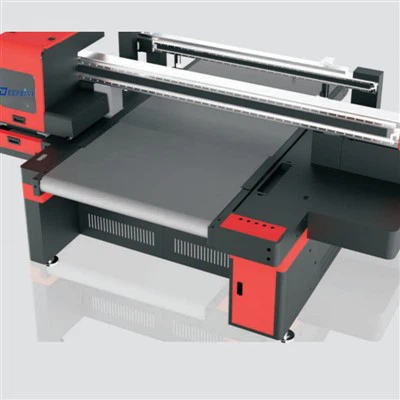
Bottle Printing Machine References
- Packaging Digest. "Direct-to-Shape Printing: A Guide for Beverage Brands." 2022.
- Smith, J. "Software Integration for Industrial Packaging Printers." Industrial Printing Journal, vol. 18, no. 3, 2021, pp. 45-52.
- Craft Beverage Association. "Equipment and Software Best Practices for Small Batch Bottle Printing." 2023.
- Adobe Inc. "Curved Surface Design for Direct-to-Object Printing." 2022.
Shenzhen Deeprint Technology Co., Ltd.
As one of the most professional bottle printer manufacturers and suppliers in China, we’re featured by quality products and good service. Please rest assured to buy customized bottle printer made in China here from our factory. Contact us for free sample.
Address: 6-1, Huangwu Road, Tongle Community, Baolong Street, Longgang District, Shenzhen City 518100,China.
E-mail: ellen@uvdprint.com
WebSite: https://www.uvd-print.com/
